
Dictation has quietly got good. Modern tools punctuate, drop the ums, fix a mid-sentence change of mind, and hand you a tidy paragraph. You end up talking to Claude or ChatGPT the way you would brief a colleague, and getting more said in less time.
To talk to AI instead of typing, start with the free dictation already built into your phone and computer, then move up to a tool like Wispr Flow or a free, open-source app such as Handy, and always read the result before you send it.
Why bother talking
A Stanford study found that on a phone, speaking your text was about three times faster than typing it, and more accurate too (the study). That gap is the whole point.
The prompts that get the best answers tend to be the long, detailed ones, and those are exactly the ones nobody can be bothered to type. Say it out loud and the effort drops away, so you give the AI more to work with.
Three moments where it earns its keep. The long, detailed prompt you would never bother typing out. The idea that turns up while you are walking or doing the dishes, when your hands are not free. The messy think-out-loud brief, where saying it the way you would tell a friend gets more across than a tidy typed sentence would.
Here is what the cleanup looks like, roughly. You say it messily, and a good tool hands back the tidy version. This is illustrative, not a real transcript.
What you say: "um so can you write a short email to my landlord about the boiler its been broken like a week now and i want a date for when its actually getting fixed"
What it types: "Can you write a short email to my landlord about the boiler? It has been broken about a week now, and I would like a date for when it will be fixed."
The trick is to not perform. Talk the way you would explain it to a colleague, umms and all, and change your mind mid-sentence if you need to. The tool tidies the mess, and you do not have to speak the punctuation.
A rule of thumb worth keeping: under three sentences, type it. More than that, talk it, because that is where the time saved starts to add up.
Start free, today
You do not need to install a thing to try this. Both your phone and your computer already dictate.
- On the Claude phone app. Open a chat and tap the microphone next to the message box. Speak, and your words appear as text you can edit and send (Claude's own guide). The ChatGPT app has the same mic in its message box.
- On a Mac. Click into the chat box on the Claude or ChatGPT website, then press the dictation key or double-tap the Control key and start talking. If nothing happens the first time, Dictation just needs turning on once: open System Settings, go to Keyboard, and switch Dictation on. After that the key works in any text box.
- On Windows. Click into the chat box and press the Windows key and H together to open voice typing.
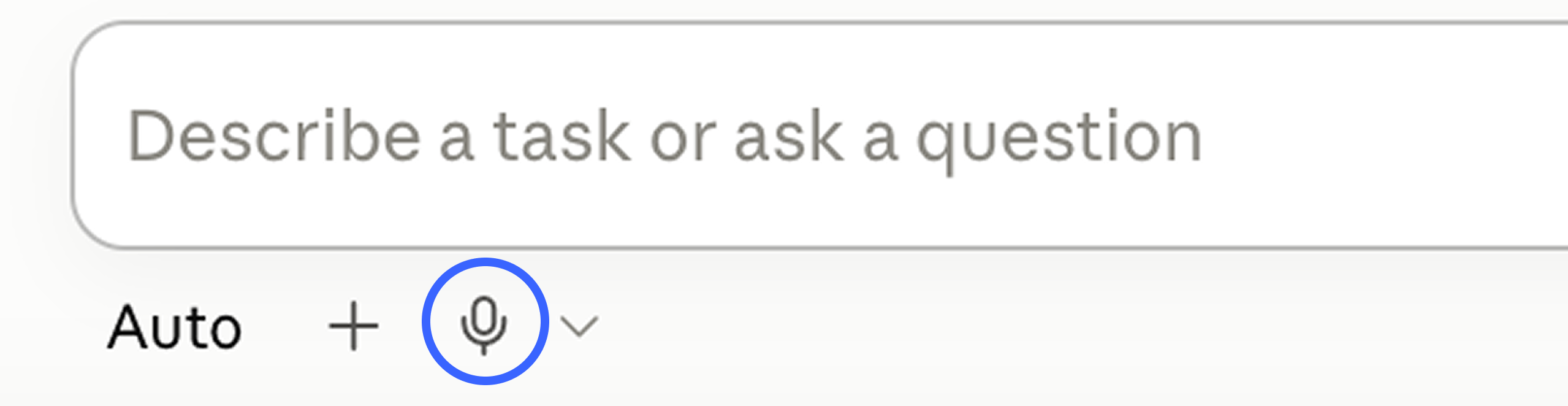
The built-in tools are free and fine for a quick message. What they do not do well is punctuation and tidy-up, so the text comes out rawer. That is where a proper dictation app earns its place.
The paid one worth knowing: Wispr Flow
Wispr Flow sits on top of everything you type into, Claude and ChatGPT included, and cleans up as you speak. It adds punctuation and paragraphs, cuts the ums, catches a correction (you say "meet at five, actually six" and it writes "6pm"), learns names you use, and handles over a hundred languages. It runs on Mac, Windows and phones.
The free tier gives you 2,000 words a week on desktop, which is plenty to see if you like it. If you do, the paid plan, called Pro, is 15 US dollars a month, or 12 a month if you pay for the year, for unlimited use, as of September 2026. Worth trying free first, then deciding.
Prefer not to pay? The free and open-source picks
You can get most of that polish without a subscription. These are the ones people in the dictation communities keep coming back to.
Not sure which to pick? The quick version:
- Just want to try it right now: the mic already in your phone and computer.
- Happy to pay for the most polished: Wispr Flow.
- Free and private, on a Mac: FluidVoice.
- Free and private, on Windows or Linux too: Handy.
FluidVoice
A free, open-source Mac app that runs entirely on your own machine, so your voice never leaves it. It cleans the text and adapts its tone to the app you are in. Mac only for now, with other platforms listed as coming. altic.dev/fluid
Handy
Works on Mac, Windows and Linux, all on-device, and it is properly free. The trade-off is that it is built to be simple rather than polished, so it can be rough around the edges on some setups. github.com/cjpais/Handy
VoiceInk
An open-source Mac app that transcribes locally. It is free if you are happy to build it yourself from the code, with a small paid version for people who want the one-click, auto-updating install. github.com/Beingpax/VoiceInk
All three do the transcription on your device, which is the real advantage over the cloud tools: nothing you say is sent anywhere.
A couple more worth a look
If none of those fit, two more are popular for good reason.
superwhisper
Runs on Mac, Windows and iPhone. The free tier uses a model that works on your own device, and the paid version adds a more accurate cloud model. A solid pick if you want free and private to start, with room to upgrade. superwhisper.com
Willow Voice
A cloud tool that works across Mac, Windows and phone, learns your regular words, and keeps them in sync between devices. It has a free plan and a paid one. Handy if you dictate on more than one device. willowvoice.com
Questions people ask
How do I use voice instead of typing?
In the Claude or ChatGPT phone app, tap the microphone next to the message box and speak. On a Mac, press the dictation key or double-tap Control, and on Windows press the Windows key and H together. Read the text before you send it.
Do I have to pay for this?
No. Your phone and your computer already have free dictation built in, and there are free, open-source apps that clean the text up well. Paid tools like Wispr Flow are an optional upgrade once you know you like dictating.
Is my voice being sent somewhere?
It depends on the tool. Cloud tools send your audio off your device to transcribe it. Local, on-device tools like FluidVoice and Handy do the transcription on your own machine, so nothing leaves it. If privacy matters, pick a local one.
Will it get my accent or names wrong?
Sometimes. Accents, jargon and unusual names still trip transcription, so always give the text a quick read before you send it. The better tools let you teach them your regular words.
The honest bit
- You need a reasonably quiet spot. Dictation is awkward in a packed office or a loud café, and it will pick up the telly.
- Cloud tools send your audio off your device to transcribe it. If that bothers you, use one of the local, on-device options above.
- It is not perfect. Accents, names and jargon still get misheard, so give every dictated message a quick read before you send it.
Try it on your next message
Do not save this for a big task. The next time you go to type something to Claude or ChatGPT, tap the mic instead and just say it. Two or three messages in, the typing starts to feel like the slow way round.