
New to AI? Start right here
Pick your tool, see what it actually is, get one real win in a normal chat, then optionally save something for next time.
First, what are you using?
Pick your tool and jump to the right path. You can switch any time.


On Claude
See it, get one real win in a chat, then save a skill only if you will reuse it.
-
1Look first3 min
Check out what Claude can do
Sign in at claude.ai and open a new chat. It is one message box: you type, it answers. On Free, that chat is the whole tool, and it is genuinely enough to start, nothing to set up and nothing to pay. Paid plans unlock more, like Claude cowork and Claude Code, but you can ignore all of that today.
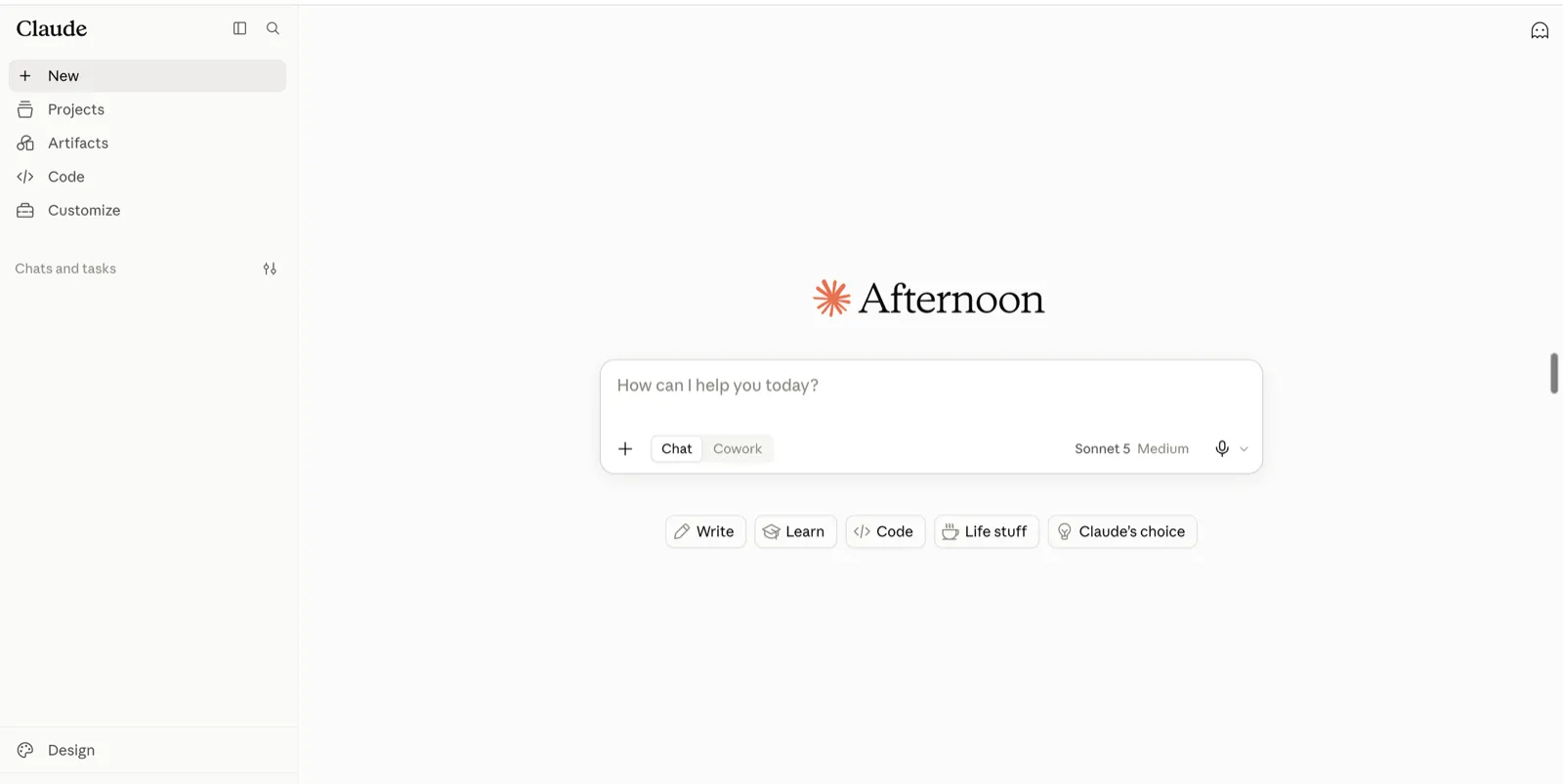
The claude.ai home screen once you are signed in: a chat box, nothing to install. -
2Your first win5 min
Get one real win in a chat
Hand it something real. Tell it the job in plain words, paste your own material underneath, an email to answer, a paragraph to fix, a list to sort, and send. A useful reply comes back. That is the whole loop, and you have your first win.
Want a stronger result? Open a starter guide and paste its instructions the same way.
-
3Good to know2 min
Three ways to give Claude instructions
Once the chat win lands, this is the whole map, one line each:
- Paste into one chat for a quick, one-off job.
- Save standing instructions in a Project, a folder of chats that share the same rules.
- Upload a skill under Customize, Skills, so it becomes a slash command you can call again.
-
4Optional10 min
Keep a skill, if you will use it again
Worth it only after a chat has already earned its place. When it has, here is the how-to:
- Open the guide and click Download .md.
- In Claude, go to Settings, Customize, Skills, then Add, Upload skill.
- Start a new chat, call it by its slash name, and give it a real job.
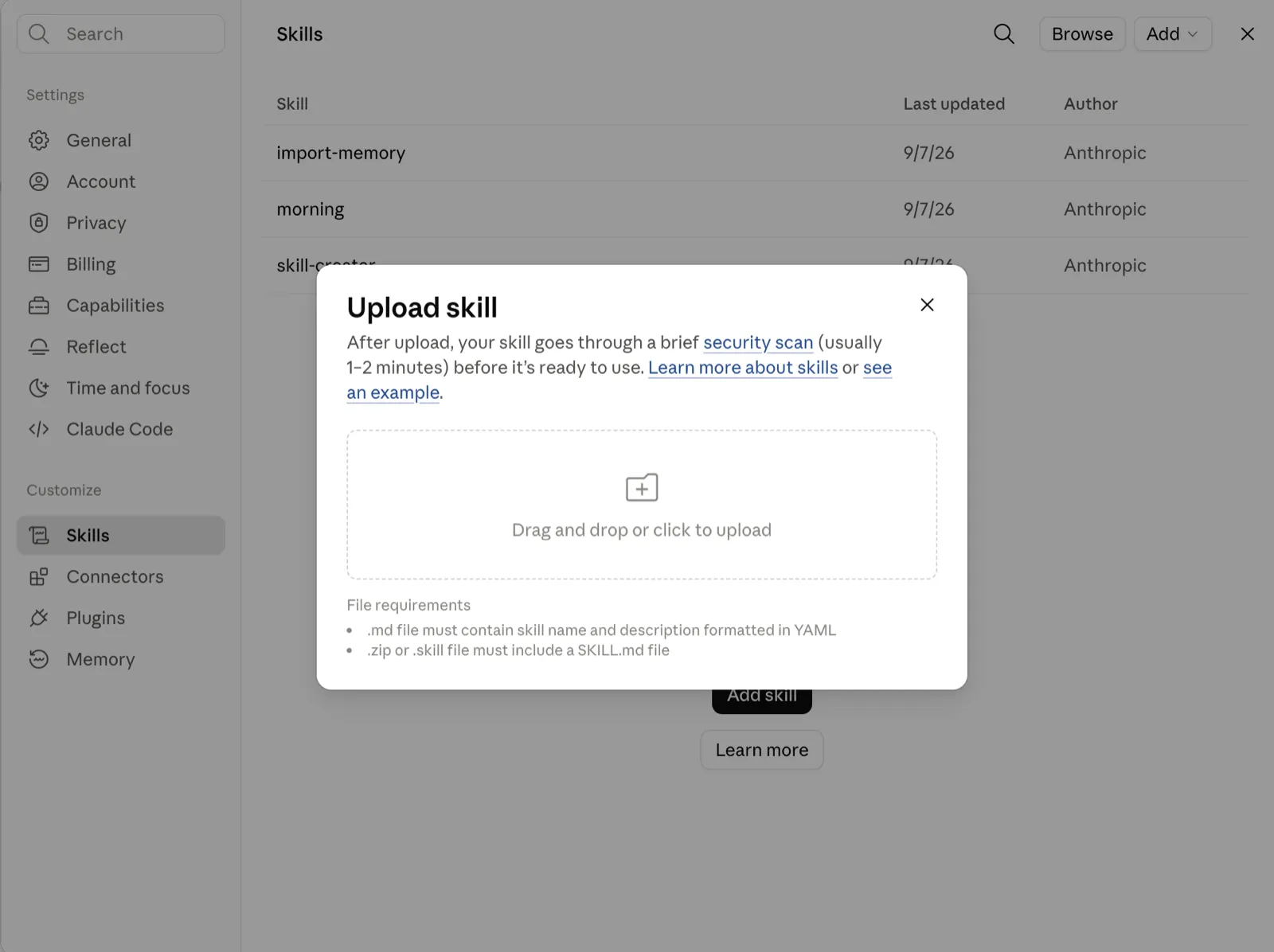
The Upload skill box in Claude: drop in the .md, it runs a quick check, then it is ready to call. If you stopped at step 2 instead, you still succeeded.
-
5Keep going5 min
Your next three days
- Day 1: reuse your chat win, or the skill, on something real.
- Day 2: try one more item from the library.
- Day 3: if anything felt stuck, read the mistakes section of the skill guide.
Most Free Skills upload into Claude. A few, like the inbox sorter, are built as a ChatGPT custom GPT, and the guide says so up front.
Common first-day mistakes on Claude
- Copying the text when you meant to keep it. For a skill you will reuse, use Download .md and Upload, not Copy.
- Uploading a skill, then not giving it a job. After it is ready, start a chat, type /skill-name and what you want done.
- Expecting a plain chat to remember with nothing installed. A fresh chat starts blank, so save a Project or a skill if you want it to stick.
On ChatGPT
Same spine. There are no Claude skills here, so you reuse instructions with a custom GPT or a saved prompt.
-
1Look first3 min
Check out what ChatGPT can do
Sign in at chatgpt.com and open a new chat. It is the same simple thing: you type, it answers. On Free, that chat is enough to start. Paid may unlock extras like Create a GPT, but you do not need them yet.
-
2Your first win5 min
Get one real win in a chat
Hand it something real. Tell it the job in plain words, paste your own material underneath, and send. A useful reply comes back. Same loop, same win, no setup.
-
3Good to know2 min
Two ways to reuse instructions
- Paste them each time into a new chat for a one-off.
- Build a custom GPT via Configure, so the instructions are saved. Create a GPT may need a paid plan, so if you do not see it, the paste method still works.
-
4Optional10 min
Keep a custom GPT, if you will repeat it
Worth it only once a job has earned it. When it has, here is the how-to:
- In ChatGPT, open Create a GPT, then its Configure box.
- Paste the instructions in and save it.
- Call it any time from your sidebar, no more pasting.
Would rather keep pasting? That works too, and you still succeed. The inbox sorter is built this way, as a ChatGPT custom GPT.
-
5Keep going5 min
Your next three days
- Day 1: run one set of instructions on something real.
- Day 2: try a second guide from the library.
- Day 3: turn your favourite into a custom GPT so it is saved.
Common first-day mistakes on ChatGPT
- Looking for a "skill" to install. ChatGPT does not have them. Use a custom GPT or paste the instructions into a chat.
- Trying Create a GPT on the free plan. If you do not see it, that is a paid feature, so paste the instructions instead and it still works.
- Pasting instructions with no input. They are only half the job. Add your own material underneath before you send.
Still deciding
A 20-second compare, then pick one and start. You can always switch later.
Most free skills here are Claude-first: you download a file and upload it once. ChatGPT uses custom GPTs and saved prompts instead. Neither is wrong.
- Claude is strong for writing and long documents.
- Skills are a real feature: download a file, upload once, call with a slash.
- The free tier runs everything on this site.
- ChatGPT has the biggest app and plugin ecosystem.
- Custom GPTs save your repeat jobs, though building one can need a paid plan.
- Huge free use for pasting prompts into a chat.
Honest steer: if you mostly write, or you want the guides here to work with the least setup, start with Claude. If you already open ChatGPT every day, stay there. Weighing up whether to pay for either later? The AI subscriptions compared guide lays it out with real prices.
A couple of quick questions
Do I need Claude or ChatGPT to start?
Either works, and the free tier of either is enough. Free is a normal chat, you type and it replies, and that is the whole first win. Pick the tool you already have.
Do I have to upload a skill to get value?
No. A useful reply in a normal chat is the goal. Skills are the optional encore, for a job you want to run the same way again and again without retyping the instructions.
What is a skill, then?
A skill is a file of instructions you download from a guide and upload into Claude once, then call whenever you need it. It is worth setting up only after a plain chat has already earned its place.